Power Query & Power Pivot for Excel: Deep Data Analysis Course
Spend less time wrangling data and more time analysing it. This hands-on Power Query & Power Pivot course in Singapore shows you how to import data from almost any source, clean and reshape it with Power Query, and then build powerful in-memory data models for deep analysis with Power Pivot — all inside Excel.
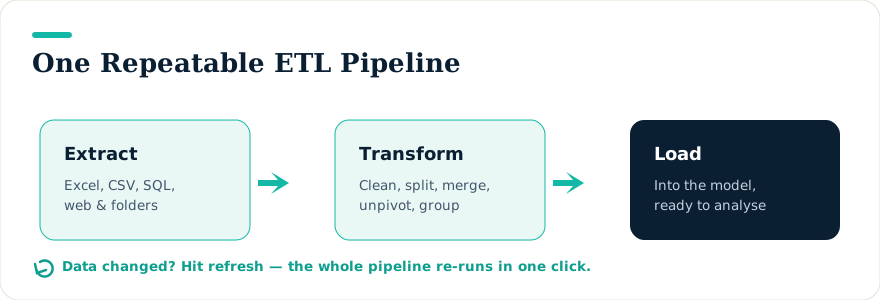
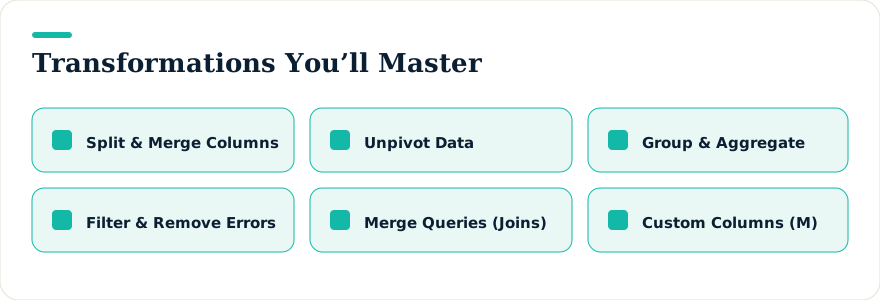
You will learn to split and merge columns, unpivot awkward data, join and compare datasets, and — crucially — repeat the entire process with a single click whenever the data changes. On the Power Pivot side, you will model relational data and write DAX measures that go far beyond ordinary Excel formulas.
What You Will Learn
- Import, clean, reshape, and refresh data from multiple sources with Power Query.
- Split, merge, unpivot, group, and join datasets to prepare them for analysis.
- Build relational data models in Power Pivot with calculated columns and DAX measures.
- Automate repetitive data-prep so a refresh replaces hours of manual work.
- Optimise models for performance on larger datasets.
Who Should Attend
This course is ideal for anyone who works extensively with data in Excel and wants deeper analytical power:
- Data analysts who want faster, more insightful analysis.
- Business-intelligence professionals building reports and dashboards.
- Financial analysts handling modelling, forecasting, and budgeting.
- Excel power users ready to add Power Query and Power Pivot to their toolkit.
- Managers and decision-makers who rely on data-driven insight.
Prerequisites
- Basic to intermediate Excel skills — navigating worksheets and using simple formulas.
- A basic grasp of data concepts such as tables, rows, columns, and data types.
- Some experience sorting, filtering, and manipulating data in Excel is helpful.
Course Outline
Day 1 — Power Query
- Introduction to Power Query — its role in data preparation, the interface, business use cases, and how it differs in Excel vs. Power BI.
- Data transformation basics — importing from Excel, CSV, SQL, and the web; removing errors; reordering, splitting, and merging columns.
- Advanced transformations — advanced filtering, conditional custom columns, Fill Down/Up for missing data, and grouping and aggregating.
- The M language — syntax and structure, the Advanced Editor, custom functions, and common functions such as Table.TransformColumns and Text.Combine.
- Case studies — preparing sales data, combining files and folders, and practice with real datasets.
Day 2 — Power Pivot & Advanced Analytics
- Introduction to Power Pivot — activation and setup, loading the data model, table relationships, and hierarchies.
- DAX fundamentals — syntax and functions, row vs. filter context, calculated columns and measures, and aggregation functions.
- Advanced DAX — time intelligence (YTD, QTD, MTD, rolling averages), SWITCH/IFERROR/CALCULATE, iterators (SUMX, AVERAGEX), and debugging.
- Optimising data models — star and snowflake schemas, reducing file size, the Diagram View, and query performance tuning.
- Advanced analytics & reporting — slicers and filters, Power Pivot reports, KPIs, and integrating Power Query with Power Pivot.
- Final project — build an interactive dashboard from raw data and apply both tools to a real business problem.
Funding & Certification
This practical, hands-on programme is WSQ-funded and SkillsFuture-eligible for those who qualify, with UTAP available to NTUC members. Corporate training can be arranged for teams.
Upcoming Course Dates
Loading upcoming dates…